Performance Analytics for Serato DJ Pro

Your play history knows what works. Now you can read it.

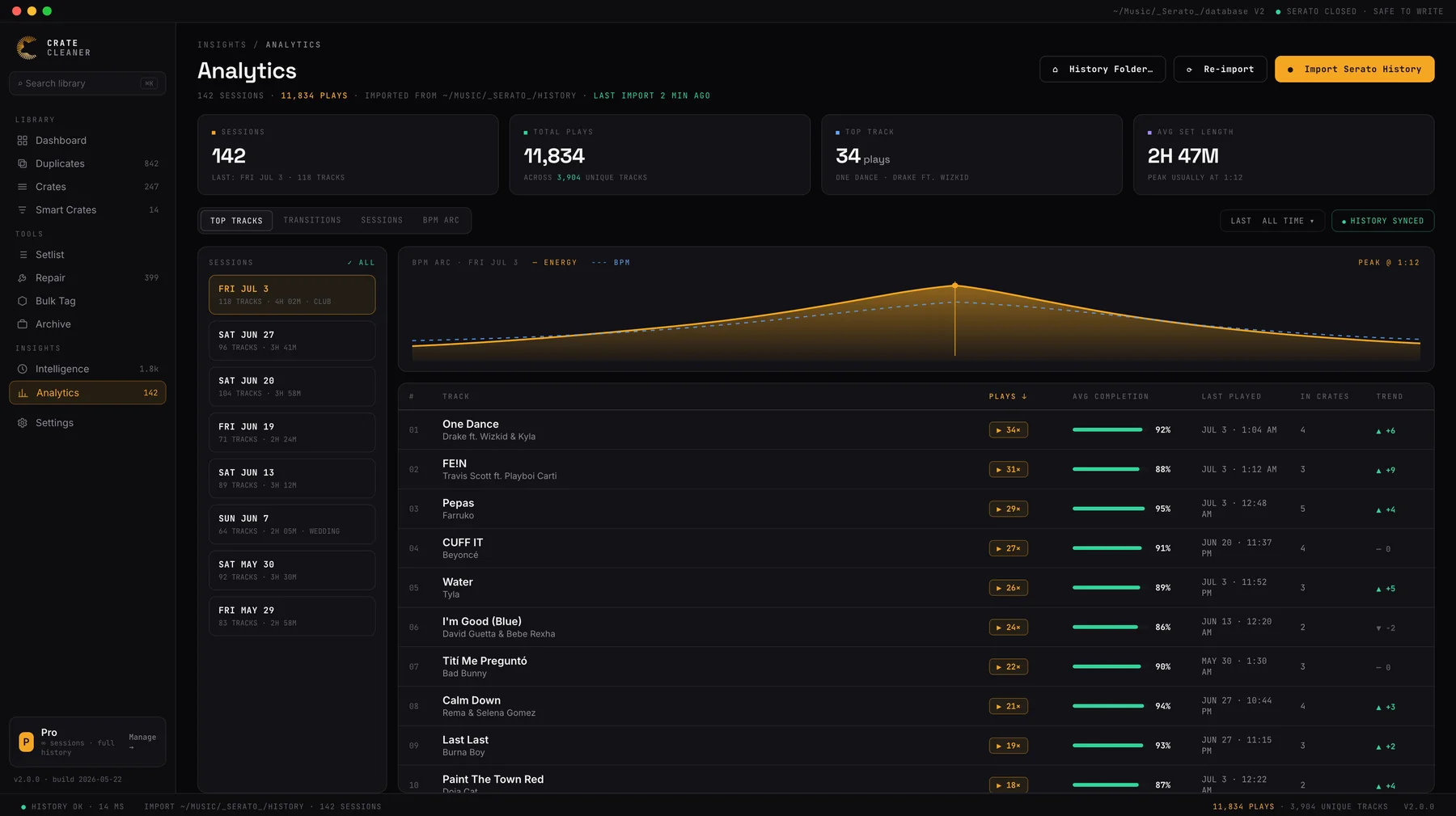
Serato records every set you play and then never adds it up. Analytics imports your session history and turns years of gigs into answers: your most played tracks, the transitions you keep coming back to, and the BPM arc of every night.

macOS · Free trial · No card · Reads your real Serato history
Crate Cleaner Analytics screen showing Serato DJ Pro play history: 142 sessions, top tracks ranked by plays with completion rates, and the BPM arc of the last set with its peak marked
Years
Of history, finally added up
1
Import from your Serato folder
0
Changes to your library
3
Free sessions in the trial

The views

Four answers hiding in your session history.

Every set you have played with Serato is sitting in the History folder as raw data. Analytics reads it and answers the questions the History panel can't:

Top tracks

What you actually reach for

Play counts aggregated across every session. Your real workhorses, ranked, as opposed to the ones you think you play.

Transitions

The moves you repeat

Track-to-track pairs that show up gig after gig. Effectively a map of your own style, ready to steal from.

Sessions

Every set, browsable

Each gig with its date, track count and full running order, so last night's set is reviewable while it still matters.

BPM arc

The shape of your nights

How each set travels in tempo from open to peak to close. See whether your nights build the way you think they do.

Closing the loop

Data that feeds back into your crates.

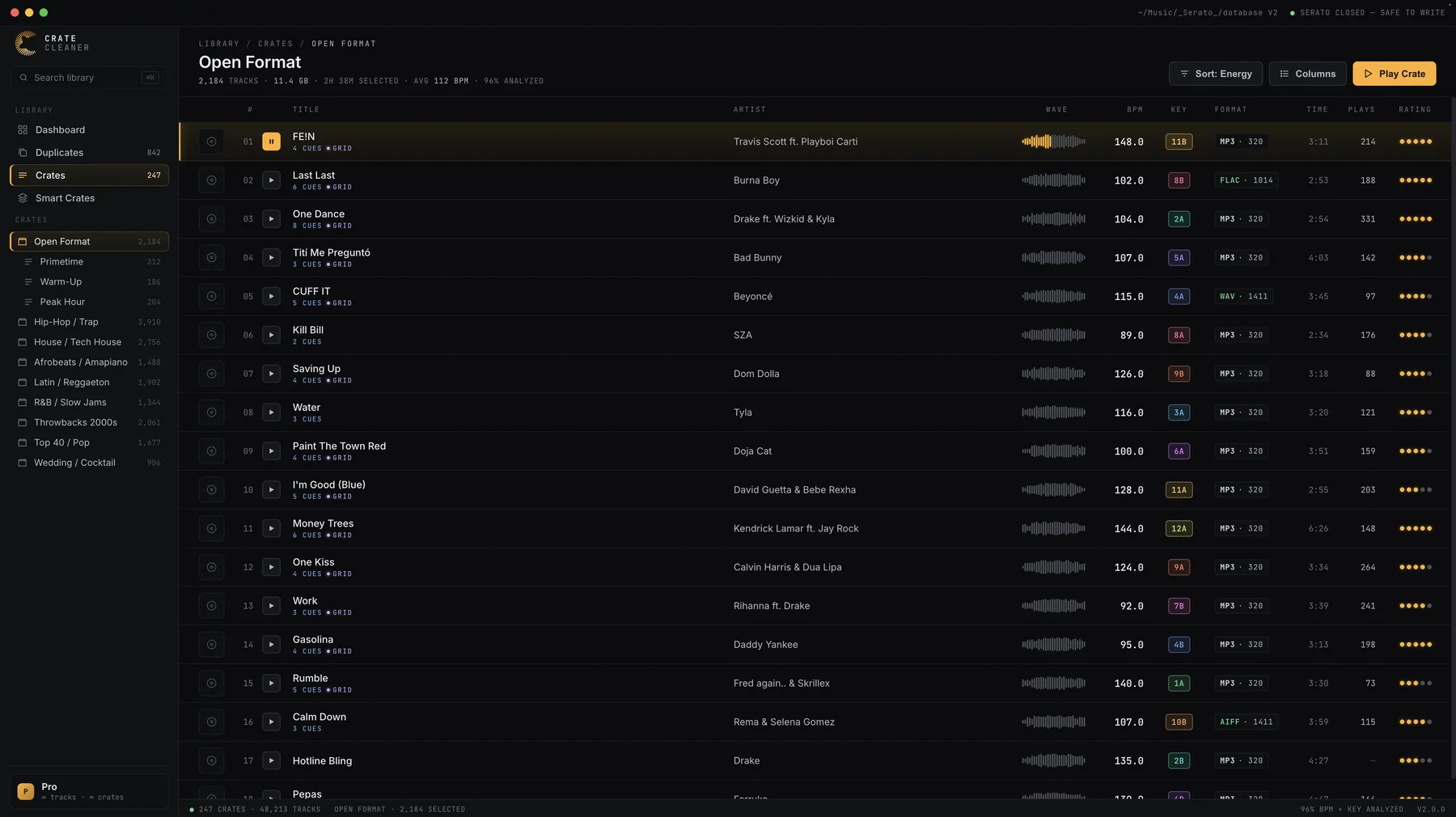
Analytics is not a report you glance at once. Play counts and ratings sit inline in the crate browser, and what you learn turns into better crates: a proven-weapons crate from your top tracks, dead weight retired from gig crates, and your best transitions written into planned sets.

Crate Cleaner crate browser showing play counts and star ratings inline next to BPM, Camelot key and waveform for every track in a Serato crate

How it works

From history folder to insight in three steps.

  1. Import your Serato historyOne click reads the session files Serato has been quietly writing for years. Your library and history files are untouched.
  2. Explore the viewsTop tracks, transitions, sessions and BPM arcs, filterable by time range, across your whole playing history.
  3. Tighten your cratesBuild from what the data proves: weapons crates from top tracks, leaner gig crates, sets that follow your best arcs.

FAQ

Questions DJs ask about play history.

Where does the data come from?
From Serato's own session history, which records every set you play into the _Serato_ folder. Crate Cleaner imports it directly, and if your history lives in a non-standard location you can point the import at it in settings.
Does Serato have a most-played view built in?
No. Serato's History panel shows one session at a time and has no aggregate view. Analytics does the aggregation: play counts across all sessions, top tracks, and the transitions you repeat.
What is the BPM arc?
A chart of how each set travels in tempo from open to close. It shows the shape of your nights, where you peaked, and how you brought it back down, more honestly than memory does.
Will importing history change my Serato library?
No. The import reads your history files and builds its own analytics database. Your Serato library, history and session files are untouched.
How many sessions can I analyze on the free trial?
The trial includes your 3 most recent sessions, enough to see the insight on your real playing. Pro and Studio include your full history.
Find out what your last hundred gigs already know.

Free trial imports your latest sessions. No card, no changes to your library.

Download for macOS

Keep reading

Guides on play history and library craft