Duplicate Finder for Serato DJ Pro

Remove duplicate tracks from Serato. Keep the right file, every time.

Serato has no built-in duplicate remover, and hunting duplicates by hand risks the exact file your crates and cue points depend on. Crate Cleaner finds every duplicate in your DJ library, keeps your best copy, and archives the rest, so nothing is ever lost.

macOS · Free trial · No card · Read-only scan
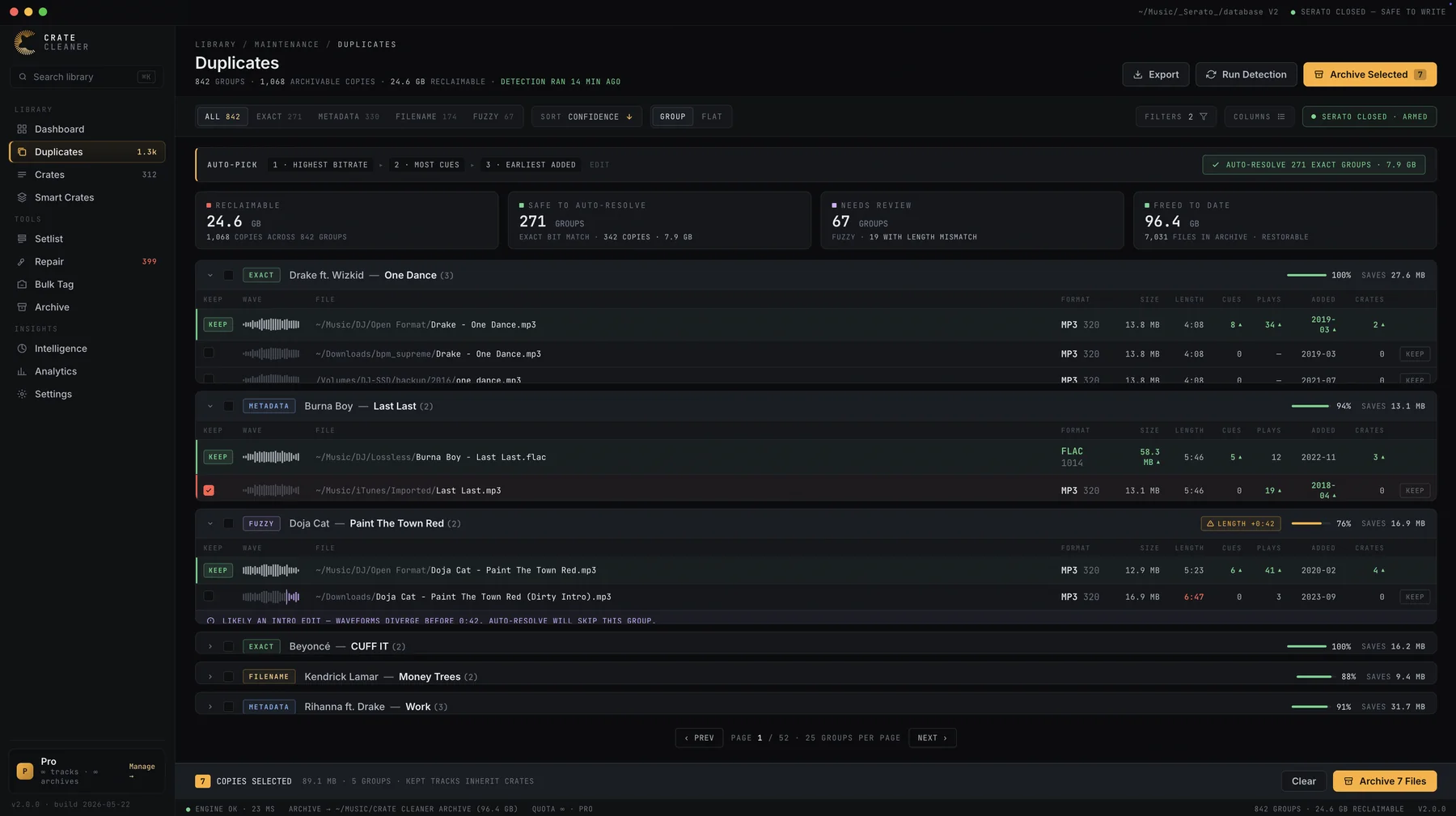
Crate Cleaner duplicate finder scanning a Serato DJ Pro library: 842 duplicate groups sorted by match confidence, 24.6 GB reclaimable, with auto-pick keeping the highest-bitrate copy of each track
24.6 GB
Reclaimed from duplicates
4
Match types, by confidence
100%
Archived, zero deleted
0
Crates or cues broken

Detection

Four match types catch what a filename search never will.

The same song hides in a DJ library under different names, formats and folders: the store download, the re-rip, the dirty edit, the copy that came back from a backup. One detection pass groups them all, sorted by confidence so you can trust the obvious ones and review the rest.

Exact

Bit-identical copies

The same file byte for byte, living in two folders. Highest confidence, safe to auto-resolve in bulk.

Metadata

Same song, different file

Matching artist, title and duration across formats. Catches the MP3 and the FLAC of the same track eating space twice.

Filename

Same name, different folder

Identical filenames scattered across Downloads, your DJ folder and old backups, grouped in one view.

Fuzzy

Edits, re-rips, near-misses

Similar titles with different lengths, like a dirty intro edit. Flagged with a length warning so you keep the version you actually play.

Auto-pick

The keeper is chosen like a DJ would choose it.

When you resolve a duplicate group, auto-pick keeps the copy you would have picked yourself, by rule, in order:

Rule 1

Highest bitrate

The 320kbps MP3 beats the 128. The FLAC beats both. Sound quality survives the cleanup.

Rule 2

Most cue points

The copy you have gigged with, prepped and cued is the copy that stays. Your work is the tiebreaker.

Rule 3

Earliest added

All else equal, the original import wins over the copy that snuck in later.

Safety

Archive, never delete.

Deleting music with a tool you just met is how libraries get ruined. Crate Cleaner does not do it. Losing copies move to a local archive where they stay fully restorable, one click brings any file back, and your Serato database is only written while Serato is closed. Scans themselves are strictly read-only.

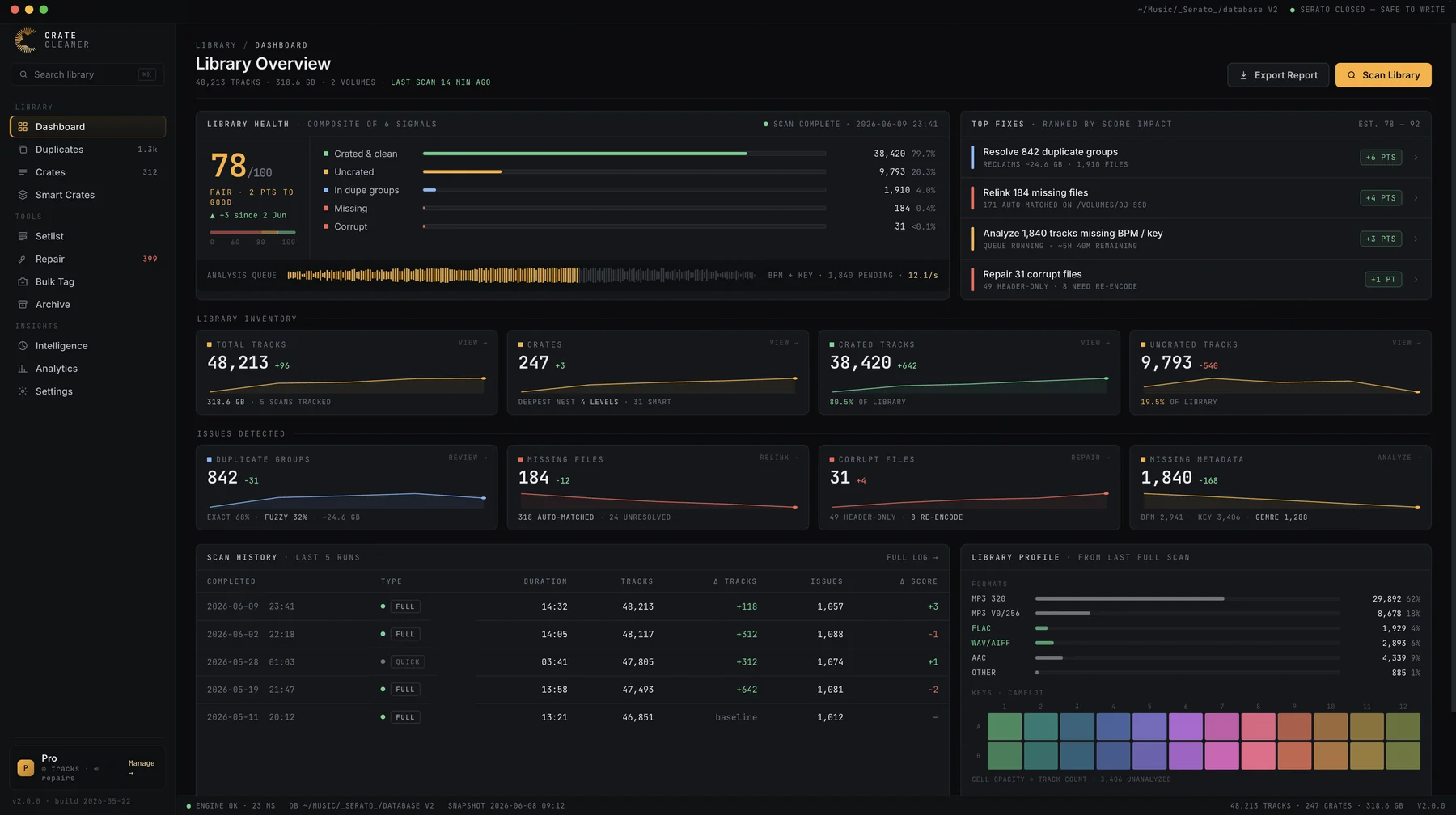
Crate Cleaner dashboard showing a Serato library health score with duplicate, missing and corrupt track signals and ranked Top Fixes

How it works

From cluttered to clean in three steps.

  1. Scan your Serato libraryPoint Crate Cleaner at your Serato DJ Pro database on macOS. The read-only scan profiles every track: MP3, FLAC, WAV, AIFF and AAC.
  2. Review duplicate groupsDuplicates arrive grouped by match type and confidence, with reclaimable space totalled, auto-picks marked and length mismatches flagged for review.
  3. Resolve and reclaimAccept picks one by one or batch-resolve by tier. Losing copies are archived, keepers inherit their crates, and your drive gets its gigabytes back.

FAQ

Questions DJs ask before trusting a duplicate remover.

Does it delete my music files?
No. Resolving a duplicate moves the losing copies into an archive, where they stay fully restorable. Crate Cleaner never permanently deletes audio files for you; emptying the archive is a decision only you can make, later, when you are sure.
Will I lose cue points, beatgrids or crates?
No. The kept track inherits the crate memberships of every archived copy, and cue points and beatgrids are untouched. This is the difference between a Serato-aware duplicate finder and a generic file deduper, which sees files but not the library built on top of them.
How does it decide which copy to keep?
By rule: highest bitrate first, then most cue points, then earliest date added. Every pick is shown before anything is resolved, and you can override any of them.
Can it match an MP3 against a FLAC of the same track?
Yes. Metadata matching catches the same song across formats, and fuzzy matching catches re-rips and edits whose names do not quite line up. Groups with a length mismatch, like a dirty intro edit, are flagged so auto-resolve skips them.
Is it safe to run on my real library?
Yes. Detection is strictly read-only, changes are only written while Serato is closed, and the free trial runs on your actual Serato library with no card required, so you can see your duplicate count and reclaimable space before committing to anything.
See how many gigabytes your duplicates are hiding.

Free trial on your real Serato library. Read-only scan, no card, results in minutes.

Download for macOS

Keep reading

Guides on duplicates and library cleanup