How do you fix clipping and uneven loudness across a DJ library?
Clipping is what happens when a track's peaks were pushed past maximum and flattened into distortion, and it gets uglier the bigger the system. Uneven loudness is when tracks were mastered at different levels, so you ride the gain all night instead of reading the room. You fix both the same way: measure every track in LUFS rather than trusting peak values, rebuild clipped peaks where enough of the waveform survives, normalize everything to one target (around -9 LUFS suits club playback), and save the result to a lossless format so nothing degrades further.
Level and repair a DJ library safely
- Work on copies, never the originalsProcess to new files and keep the source untouched. If a repair goes wrong, or a track ends up too hot, you want a clean copy to fall back to.
- Measure loudness in LUFS, not peakPeak tells you the single loudest sample; LUFS tells you how loud a track actually sounds. Two tracks can share a peak and still differ by 6dB in perceived level.
- Pick one target and hold itAround -9 LUFS is a sensible club target and sits close to modern dance masters. Streaming targets like -14 LUFS are far quieter and will feel weak in a booth.
- Repair clipping before you normalizeTurning a clipped track down does not undo the distortion, it just makes it quieter. Rebuild the flattened peaks first, then set the level.
- Use a true-peak limiter, not raw gainLeave headroom, around -1 dBTP, so the file does not clip again after conversion or on a club processor.
- Save losslessly and carry your tags acrossWrite to AIFF or WAV so no further generation is lost, and make sure cue points, loops, beatgrids and ratings travel to the new file.
What clipping is, and why a club makes it worse
Digital audio has a hard ceiling. When a master or a bad export pushes peaks past it, the tops of the waveform are sliced flat. Those flat tops are not silence, they are distortion: harsh harmonics that sit right where cymbals and vocal sibilance live.
In headphones this can pass for loudness. Through a big rig it does not. Club systems and their limiters exaggerate the harshness, and the track that felt punchy at home turns brittle on a dancefloor. Clipping is also cumulative: a clipped file, played through a limiter, into a driven amp, keeps compounding.
Why your tracks jump in volume
- Different mastering eras. A 1994 house record and a 2026 remaster can be 8 to 10dB apart before anyone touches a fader.
- The loudness war. Modern masters are pushed hard; older ones left headroom, which is musically better and operationally annoying.
- Mixed sources. Store purchases, promos, record pools and rips all arrive at different levels.
- Poor exports. Bootlegs and edits are often bounced without any level discipline at all.
The result is the thing every DJ recognises: the next track drops and it is suddenly quiet, or it slams and the limiter grabs it.
Peak normalization is not loudness normalization
This is the single most useful distinction in this whole subject. Peak normalization raises a file until its loudest sample hits a ceiling. It is blind to how loud the track sounds, so a sparse, dynamic record and a wall-of-sound record can both peak at 0dB and still be miles apart in perceived level.
Loudness normalization measures perceived level across the whole track using LUFS, a scale weighted for how human hearing responds, and adjusts to hit a target. That is what actually makes a library feel even. If you have ever peak-normalized a folder and found it no more consistent than before, this is why.
What loudness target should a DJ use?
Context decides the number:
- Around -9 LUFS: a practical club target. Commercial dance masters typically sit near -8 to -10, so your library matches what you play alongside.
- -14 LUFS: the streaming convention, deliberately quieter. Useful for podcasts and mixes uploaded to streaming, too quiet as a booth default.
- Consistency beats the exact number. Any sane target applied to the whole library beats a perfect target applied to half of it.
Pair the target with a true-peak ceiling around -1 dBTP so nothing clips again downstream.
What can be repaired, and what cannot
Being clear about this saves you from expecting magic:
- Clipped peaks: often repairable. If the flattened section is short, the original curve can be reconstructed from the surrounding waveform and the transient restored.
- Loudness: always fixable. It is measurement plus gain plus limiting, and it works on any file.
- Dullness: partly maskable. A harmonic exciter can synthesize overtones above a transcode's cutoff, which reads as brightness, but it is generating plausible harmonics, not recovering the original ones.
- Frequencies a lossy encoder deleted: gone. No process restores them. If a file is a fake 320, repair improves what remains, it does not make it a real 320.
Does Serato's autogain already solve this?
Partly, and it is worth understanding the limit. Serato's autogain adjusts playback level based on its own analysis, which genuinely helps in the moment. But it is a playback setting, not a change to the file: it travels only inside Serato, does nothing about clipping already baked into the audio, and does not help when you take those files to another platform or hand them to someone else. Repairing the files themselves fixes the problem everywhere, permanently.
Protecting your cue points
The reason most DJs never process their library is the fear of losing prep, and it is a fair fear: naive conversion strips the Serato tags that hold cue points, loops and beatgrids, and re-cueing a few thousand tracks is nobody's idea of a good time.
Any process worth using must clone the full tag set onto the new file, including the Serato GEOB frames that carry cues, loops and beatgrids, plus ratings and key. Test on a handful of tracks and open them in Serato before you commit to a batch. If the markers do not survive the test, stop.
Doing it across a whole library
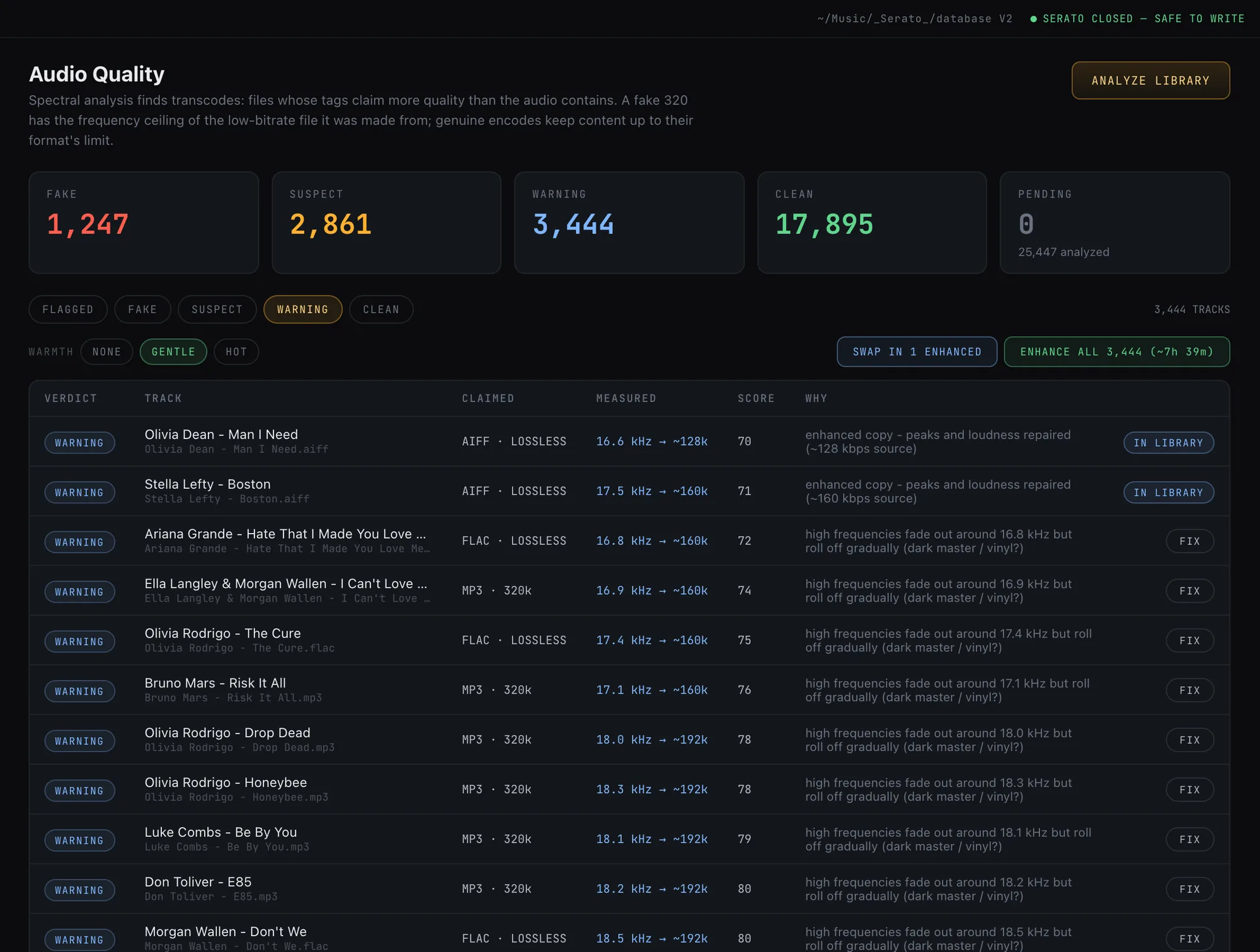
Crate Cleaner's audio repair runs the sequence above as a batch: it rebuilds clipped peaks with spline interpolation, normalizes to a DJ-ready target using BS.1770 loudness measurement with a true-peak limiter, optionally adds brightness back to dull transcodes, and freezes the result to lossless AIFF written next to the original rather than over it. Cue points, loops, beatgrids, ratings and key travel to the repaired copy, and you choose which enhanced files to adopt into your library.
Frequently asked questions
Does normalizing loudness hurt audio quality?
Turning a track down is lossless in any practical sense. Turning a quiet track up can raise the noise floor, and pushing for extra loudness needs limiting, which is why a sane target with a true-peak ceiling matters more than chasing maximum level.
What LUFS should I target for DJ tracks?
Around -9 LUFS works well for club playback because commercial dance masters sit near -8 to -10. Use -14 LUFS only for material headed to streaming platforms, since it will feel noticeably quiet in a booth.
Does Serato autogain fix uneven loudness?
It helps at playback, but it is a Serato setting rather than a change to your files. It does not remove clipping already in the audio and does not travel with the files to other software.
Will I lose my cue points if I process my tracks?
You will if the tool ignores Serato's tags. Cue points, loops and beatgrids live in Serato GEOB frames that must be copied to the new file. Always test on a few tracks and open them in Serato before processing a batch.
Can clipping really be undone?
Short clipped sections can be reconstructed convincingly from the surrounding waveform. Long flattened passages are missing too much information to rebuild, and a good tool will leave those alone rather than invent them.
Repair and level your whole library
Crate Cleaner rebuilds clipped peaks and normalizes loudness losslessly, with every cue point and beatgrid preserved. Free plan on your real library.