Audio Repair for Serato DJ Pro

Repair the tracks worth keeping, losslessly.

Rebuild clipped peaks, level inconsistent loudness, and optionally add brightness back to dull transcodes. Crate Cleaner freezes the result to lossless AIFF and carries every Serato cue, loop, beatgrid and rating across untouched.

macOS · Free trial · No card · Runs on your real Serato library
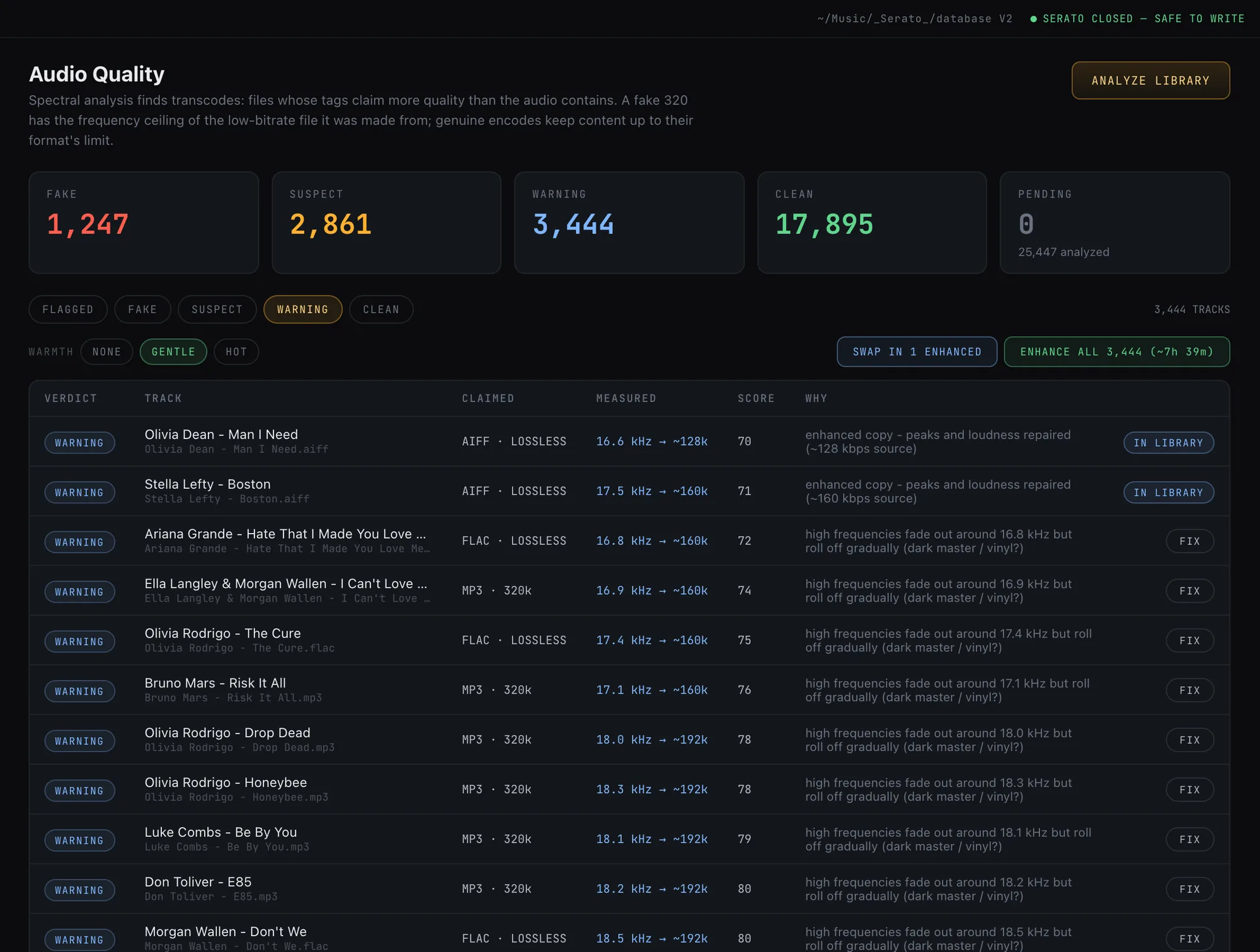
The Audio Quality page in its warning view showing enhanced copies whose peaks and loudness were repaired, marked IN LIBRARY once adopted
-9
LUFS loudness target
AIFF
Lossless, Serato-native output
0
Originals overwritten
100%
Cues, loops and beatgrids kept

What it fixes

Four repairs, one lossless pass.

Repair works on the damage that is actually recoverable. It does not pretend to invent detail that was never captured; it fixes what is fixable and freezes the result so the file never degrades again.

Declip

Rebuild peaks

Clipped peaks are reconstructed with cubic-spline interpolation, restoring transients a limiter flattened.

Loudness

Level the set

BS.1770 K-weighted normalization to a hot but safe -9 LUFS with a true-peak limiter, so tracks sit at a consistent level.

Brightness

Optional exciter

A harmonic exciter can synthesize overtones above a dull transcode's cutoff, in a gentle or hot amount.

Freeze

Lossless AIFF

The repaired audio is written to AIFF, so no further generation is lost and the file is Serato-native.

Your markers, intact

Every cue, loop and beatgrid comes across.

Repair writes a new file next to the original, never over it. The full Serato tag set travels with the copy: cue points, loops, beatgrids, POPM ratings and key. Enhanced copies show up right in your library, ready to swap in when you are happy with them.

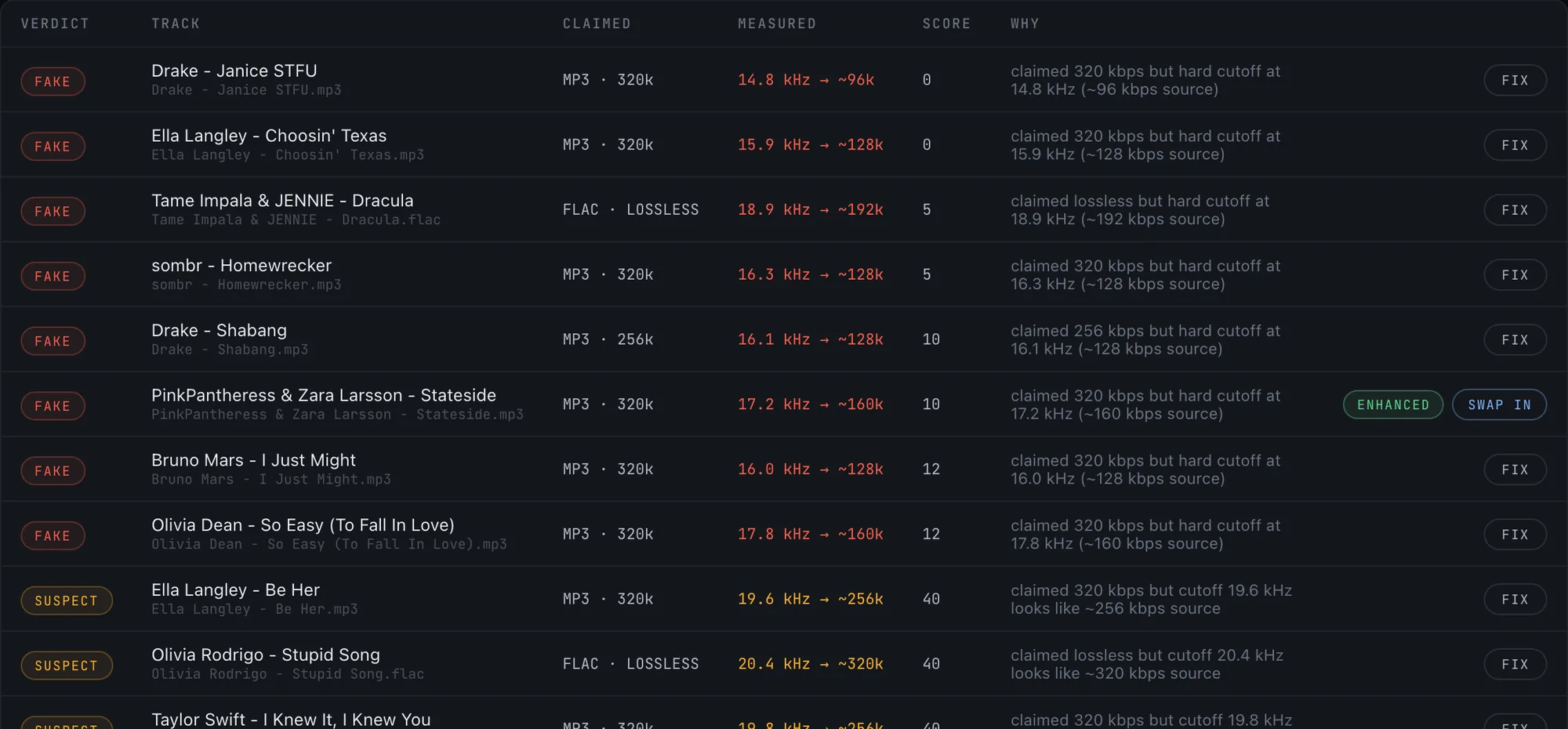
The quality table with a repaired track marked ENHANCED and offering a Swap in action, sitting among flagged files with Fix buttons

Honest limits

It makes the best of what's there.

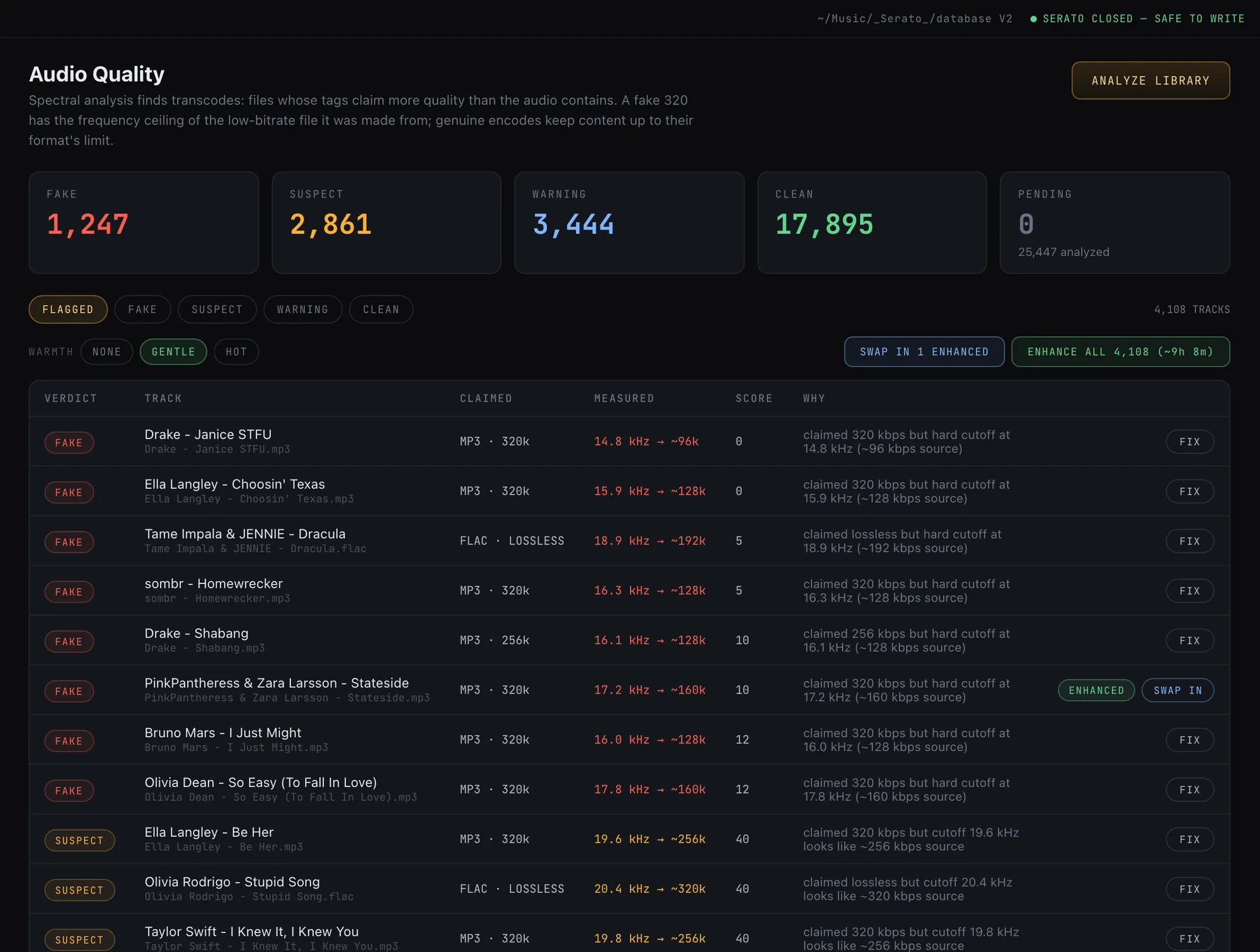
Repair cannot restore frequencies a lossy encoder already deleted: a fake 320 stays a 128 source spectrally. What it does is fix clipping, loudness and dullness, then freeze the result losslessly so the file never loses another generation. Pair it with Audio Quality to decide what is worth repairing versus replacing.

The Audio Quality page showing the Enhance all and warmth controls and a track offering a Swap in action for its enhanced copy

How it works

Flag, enhance, adopt.

Repair runs as a batch you control, on the tracks you choose or on everything with a given verdict.

  1. FlagPick tracks by hand, or let Audio Quality hand you the fakes and warnings worth repairing.
  2. EnhanceRun the repair pass. Declip, loudness and optional brightness are applied and frozen to a lossless AIFF copy.
  3. AdoptPreview the enhanced copies and swap the ones you like into your library, cues and all.

FAQ

Questions DJs ask.

Does repair overwrite my original files?
Never. Every repair is written to a new AIFF file next to the original. The source is left untouched, so you can always compare or fall back.
Will Serato keep my cues and beatgrids after repair?
Yes. The full Serato tag set, including cue points, loops, beatgrids, ratings and key, is cloned onto the repaired copy, so your prep survives the fix.
Can it turn a fake 320 back into a real one?
No, and it does not claim to. Frequencies an encoder deleted are gone for good. Repair fixes clipping, loudness and dullness and freezes the result losslessly, which is the honest best you can do with the audio that remains.
What format does it output?
Lossless AIFF, which is Serato-native and ID3-capable, so no further quality is lost and your tags come along.
Which tracks should I repair versus replace?
Use Audio Quality to tell them apart. Repair the tracks worth keeping whose problem is clipping or loudness; replace the true transcodes where the high end is simply gone.

Fix the tracks worth keeping.

Free trial on your real Serato library. Hear the repair before paying anything.

Download for macOS

Keep reading

More of what shipped in 2.1