Does Auto Cue overwrite the cues I already set?
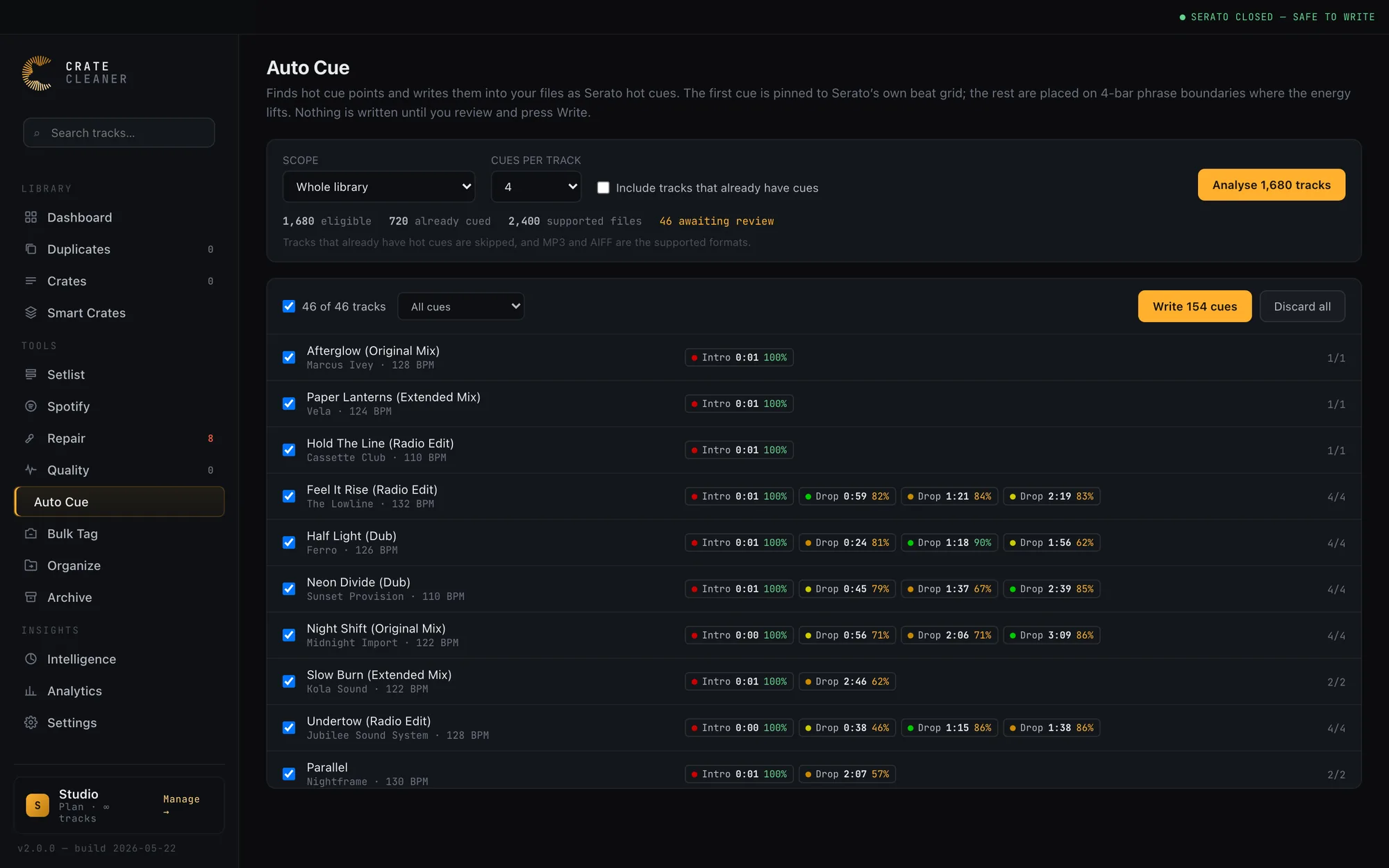
No. Auto Cue only ever fills empty hot cue slots, and it never renumbers or moves a cue you placed. If a track already has all eight slots used it is skipped, and if a proposal lands on a spot you have already cued it is dropped rather than duplicated into a second slot.
What happens to my saved loops and BPM lock?
They are preserved exactly. Serato keeps cues, saved loops, track colour and BPM lock together in one block of tag data, so a tool that only understands cues can wipe the rest. Crate Cleaner reads that whole block, changes only the cue entries, and writes it back byte for byte identical everywhere else. Anything it cannot read with confidence is left untouched.
How accurate are the cue points?
The first cue is the most reliable: it is pinned to the first downbeat Serato itself analysed, so it lands where a start cue belongs on the large majority of tracks. The rest are proposals. They snap to 4-bar phrase boundaries where the low end steps up, which is usually a drop or the main groove starting, and each one carries a confidence score so you can see how strong the evidence is before you accept it. Auto Cue is built to give you a strong starting point in seconds, not to replace your ears.
Can I undo it?
Yes, completely. Every file is copied before it is touched, and a whole batch is one restore session. One click puts every file back exactly as it was, and the cue counts in your library are re-read from the restored files so nothing is left out of step.
Do I need to close Serato first?
Yes, and Auto Cue enforces it. Serato caches tag data in its own database and writes it back when it quits, so cues written underneath a running Serato get overwritten. If Serato is open, the whole batch refuses to run and tells you why rather than writing work you would lose.
Which files does it support?
MP3. Serato hot cues live in the MP3 ID3 tag, and MP3 is the format the cue writer is verified against. Other formats, including AIFF and FLAC, are read and displayed as normal, but Auto Cue does not write cues to them.
Which plan includes Auto Cue?
Auto Cue is a Studio feature, the same tier as the other tools that write to your files at scale.