How do you find and remove explicit songs in Serato?
Serato DJ Pro has no explicit flag, so there is no filter to hide explicit tracks for a wedding or corporate gig. The reliable approach is not to strip your main library, it is to build a separate clean crate, find the explicit tracks by title, tags and comments, swap in clean edits, then screen the crate before you play. This guide walks through that, and shows the faster way to catch explicit tracks you would otherwise miss.
Build a clean-safe crate for the event
- Decide what clean means for this gigAgree the standard with the client: no profanity is different from no explicit themes. A wedding and a corporate lunch may draw the line in different places.
- Build a separate clean crateDo not edit your main library. Make a dedicated crate for the event so your explicit versions stay intact for other gigs.
- Find the explicit tracksSerato has no explicit flag, so check version names in titles, the Comment and Grouping columns, and your own tags. Anything unmarked has to be listened to or screened.
- Swap in clean versionsFor each explicit track you want, source the clean or radio edit and replace it in the crate rather than deleting the song from your library.
- Screen the whole crateGo through the crate and confirm every track is the clean version. This is the step that saves you in front of a crowd.
- Run a pre-gig checkBefore the event, confirm every track loads, is analyzed and is the version you intend to play.
Why Serato cannot filter explicit tracks for you
This is the root of the problem: Serato DJ Pro has no explicit or clean field, so there is nothing to sort or filter on. Whether a file is explicit lives only in the title, if the person who tagged it bothered, or in your own comments. A song called Track Name (Clean) is easy; a raw file with no version marker is a landmine you will only find by playing it.
That is why a wedding or corporate set needs a deliberate screening pass, not a filter. One explicit track through the speakers at the wrong moment is the kind of thing that ends a referral chain.
Never edit your main library for one gig
The instinct to delete explicit versions is a mistake. You play plenty of gigs where the explicit cut is the right one, and rebuilding those later is painful. Instead, build a dedicated clean crate for the event and leave your library alone. Crates are playlists, not folders, so this costs no disk space and keeps both versions available. If you need a refresher on crate structure, see how to organize your Serato crates. A full crate layout for a wedding, from ceremony to do-not-play, is in how to organize wedding DJ crates in Serato.
Finding the explicit ones
Work through your candidate tracks and flag the explicit ones using what little signal Serato gives you:
- Title and version. Look for Clean, Radio Edit, or the absence of an Explicit marker. Treat missing labels as unknown, not clean.
- Comment and Grouping columns. If you or your pool tag versions, sort on these to group clean and dirty edits.
- Your ears. For anything unlabelled, there is no shortcut in Serato itself: you have to listen, or screen the file against an outside source.
Remember a radio edit is not guaranteed to be clean, and sourcing genuine clean edits is its own task, covered in how to find and play clean versions of songs.
The faster way: screen against official ratings
Checking a whole wedding library by ear does not scale. Crate Cleaner includes clean-event screening that marks tracks explicit or clean from two signals: Spotify's own label-set explicit flag, for any track you have matched through a Spotify playlist import, and the dirty, explicit and clean markers in your titles and filenames. Pre-Gig Check then audits a whole crate before you play, so you review a short list of real risks instead of scrubbing through everything. You still make the final call on borderline tracks, and a track with no Spotify match and nothing in its title stays marked unknown rather than being guessed at. It runs on your real Serato library on macOS, with a free plan and no card required.
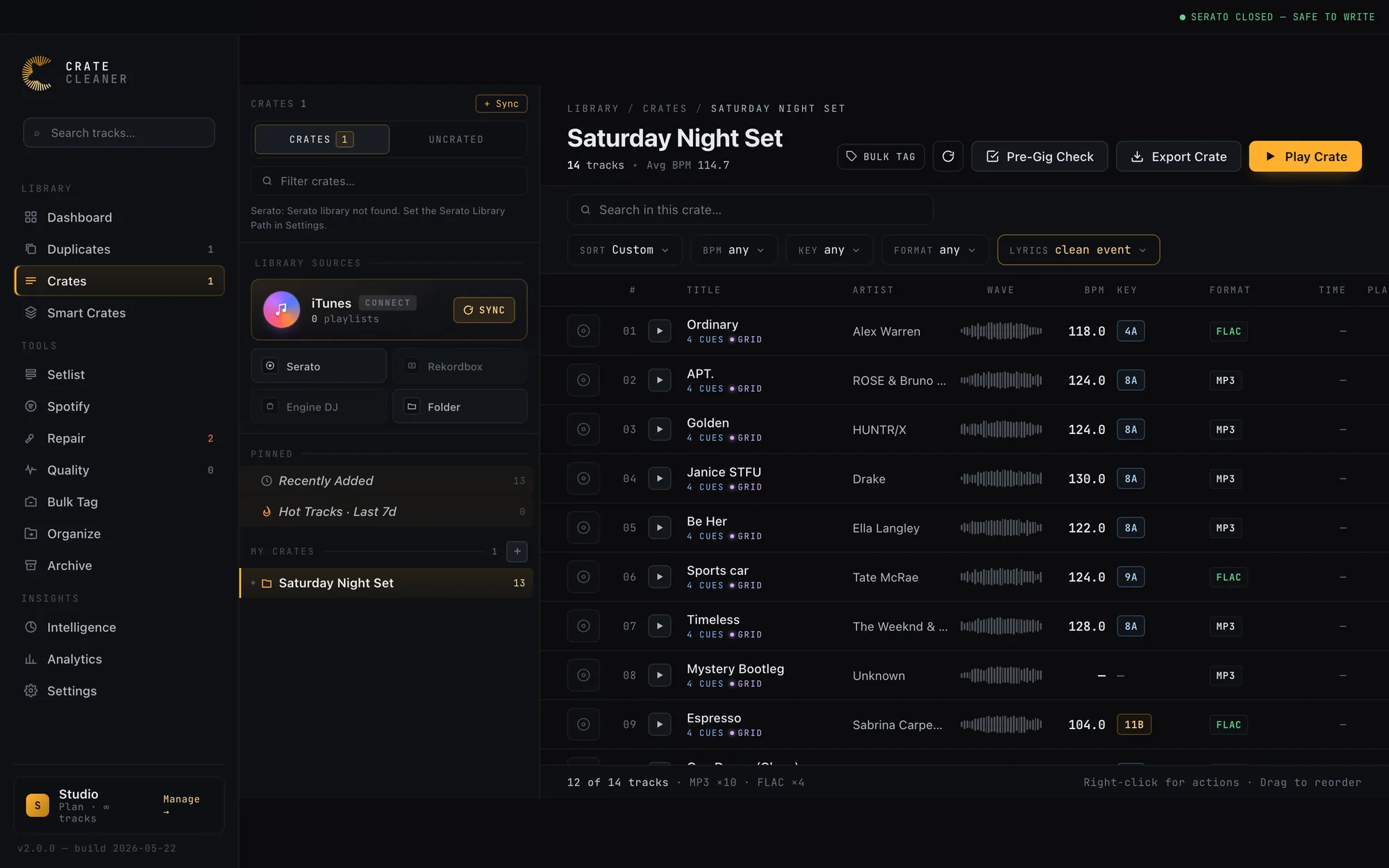
Try Crate Cleaner free → · See pricing →
Screen the crate, then lock it in
Once the crate is built and screened, do not touch it. Run a final pass so nothing surprises you: confirm every track loads and is the clean version you intended. The full routine is in the DJ pre-gig checklist for Serato.
FAQ
Does Serato flag explicit songs? No. Serato DJ Pro has no explicit or clean field, so there is no native way to filter explicit tracks. You identify them from titles, tags and comments, or screen the library with an outside tool.
How do I tell if a track is the clean version? Clean edits are usually labelled in the title or version (Clean, Radio Edit) but not always, and a mislabelled file is common. The only certain checks are listening through, or screening the file against an official catalog rating.
Is a radio edit the same as a clean version? Not always. A radio edit is shortened for airplay and is often but not guaranteed to be clean. Confirm the actual content rather than trusting the label.
Is there a faster way than checking every track? Yes. Crate Cleaner flags explicit tracks from Spotify's label-set explicit flag, for tracks matched through a Spotify playlist import, and from the version words in your titles, and Pre-Gig Check audits a whole crate in one click, so you review a short list instead of your entire library.
Know which tracks are explicit before the first dance
Crate Cleaner flags explicit tracks from Spotify's label data and your titles, and Pre-Gig Check audits a crate in one click. Free plan on your real library.